Emotion over restriction
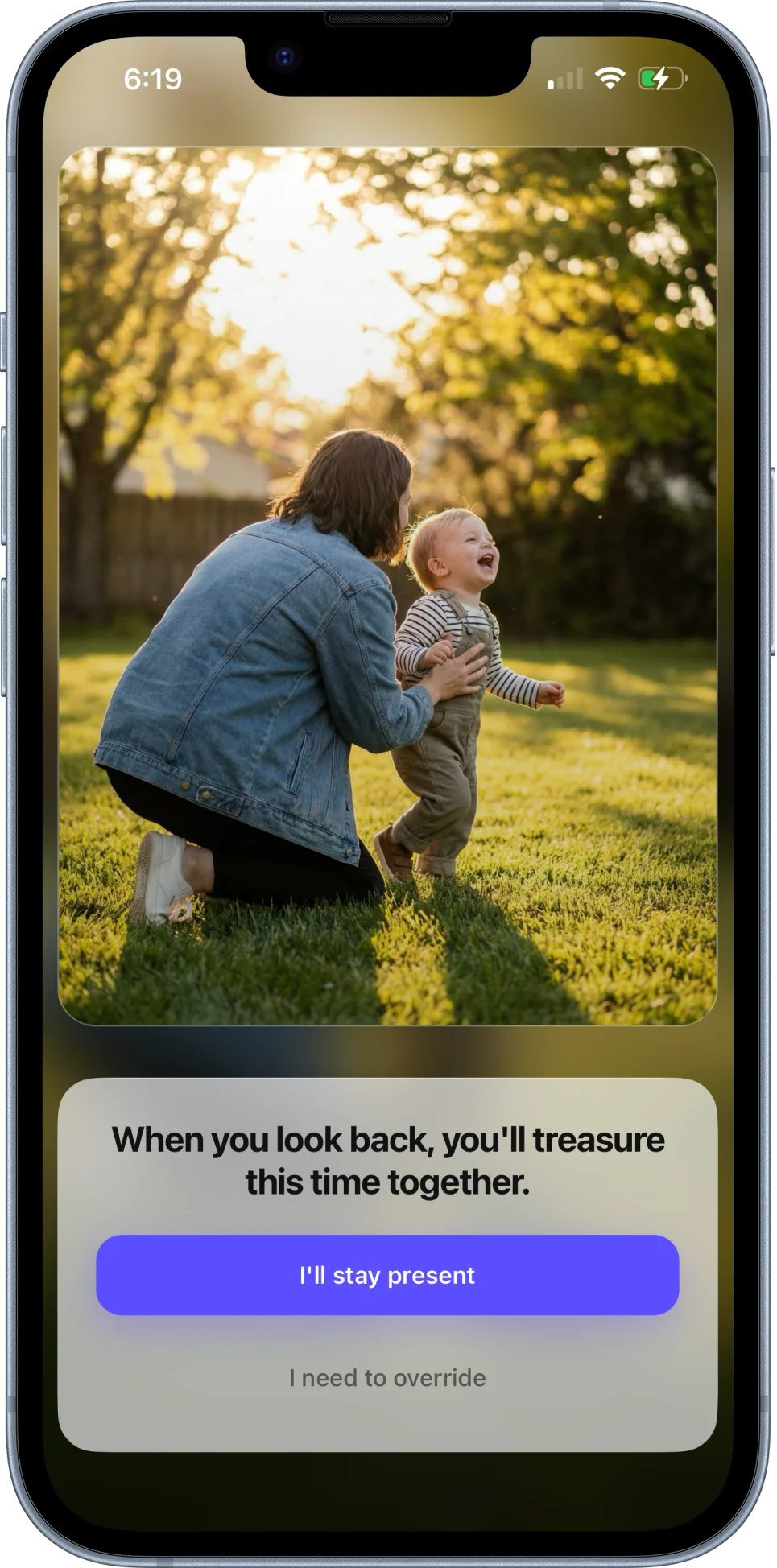
A familiar face appears before the feed can take over.
The pause is personal because the photo is personal. It turns an automatic thumb movement into a real choice.
Now available on iPhone
Stay helps parents pause before opening distracting apps during protected family moments. When the habit kicks in, your family photos appear first.
Photos stay on your device
No child names or profiles
No data collected
When autopilot takes over
Choose the distracting apps that tend to pull you away. If you reach for one during a protected moment, Stay shows you what matters before the scroll begins.
Protected apps
Step 1Pick the apps that usually pull you out of family time.
 YouTube
 TikTok
 Reddit
 X
X Discord
 Facebook
You open Instagram
It is inside a protected bedtime window.

This is the moment you wanted back.
Override if you need to
App names and icons are examples shown for identification only and do not imply endorsement.
Why it works
Screen Time tools usually start with restriction. Stay starts with recognition: the people you are trying to be present for, shown at the exact second your thumb moves on autopilot.
Emotion over restriction
The pause is personal because the photo is personal. It turns an automatic thumb movement into a real choice.
Built around family rhythm
Protected moments follow the parts of the day that matter most, then Stay handles the interruption quietly in the background.
A humane escape hatch
The override path stays visible because real life happens. Progress is not framed as failure.
How it works
The setup is small on purpose. Protected moments should fit into family life, not become another system to manage.
01
Set dinner, bedtime, mornings, or any recurring family stretch you want back.
02
Pick the faces and memories that can interrupt the automatic reach.
03
When a distracting app opens during a protected moment, Stay creates a gentle pause.
04
Stay present, or override when you truly need to. No shame loop required.
Private by default
No profiles
Stay does not ask for child names or build family profiles.
No collection
The App Store privacy label is simple: no data collected.
No. Family photos stay on your iPhone and are used only for the intervention screen.
No account, child profile, email address, or cloud sync is required to use Stay.
Stay creates a pause, not a trap. You can override when the moment genuinely calls for it.
Available now
Download Stay for iPhone and create your first protected moment in a few minutes. No account or photo upload required.